Network investigation guide
Investigating Control Connections
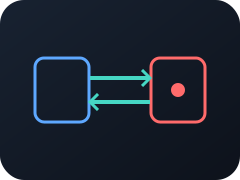
A control connection is an active remote administration session using a protocol or tool such as SSH, RDP, WinRM, or remote-support software.
Understand the finding
What do Control Connections mean?
These sessions are essential for legitimate administration and are also useful to an attacker operating a compromised system. Unlike preliminary discovery, a confirmed control connection may already carry commands or files.
Triage workflow
How to investigate Control Connections
- 1
Identify both endpoints, the initiating process, user, and remote-access technology.
- 2
Confirm whether the session was expected and approved for this source and destination.
- 3
Review session timing, data transfer, and adjacent authentication events.
- 4
Look for commands, file movement, persistence, or connections to additional systems.
Interpret the context
Common benign explanations
Finding this behavior does not by itself prove malicious intent. Common explanations include:
- Administrators connecting through approved jump hosts
- Helpdesk activity using sanctioned remote-support tools
- Management, backup, or monitoring systems using administrative protocols
Make a decision
When to escalate or de-escalate
Escalate when
- The tool, source, destination, user, or time falls outside approved administration patterns.
- The session is associated with an external operator, unusual process, or lateral movement.
De-escalate when
- The session maps to an approved change, support case, or administrative workflow.
- The identities, endpoints, tool, and timing all match established practice.
Analyze the evidence
Investigate network behavior with Red Hand Analytics
Upload a PCAP or connect Red Hand Collector. Both use Red Hand Analytics, where meaningful behavior, endpoints, DNS, data flows, and connection evidence stay connected.