Network investigation guide
Investigating SOCKS Tunnels
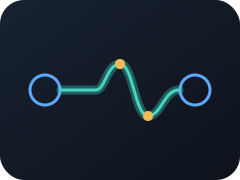
A SOCKS tunnel carries other network connections through a proxy channel, allowing traffic to cross boundaries through an intermediary.
Understand the finding
What do SOCKS Tunnels mean?
Approved proxies and VPNs rely on tunneling, while attackers use the same capability to bypass segmentation, conceal command-and-control traffic, pivot, or move data.
Triage workflow
How to investigate SOCKS Tunnels
- 1
Identify the tunnel endpoints, initiating process, user, protocol, and listening ports.
- 2
Verify whether the software and destination are approved for that host and network zone.
- 3
Determine what traffic is entering the tunnel and which boundaries it crosses.
- 4
Look for persistence, unusual authentication, data transfer, or access to restricted systems.
Interpret the context
Common benign explanations
Finding this behavior does not by itself prove malicious intent. Common explanations include:
- Approved corporate proxies, remote-access VPNs, and concentrators
- Site-to-site networking and datacenter or cloud overlays
- Authorized developer or administrator tunneling workflows
Make a decision
When to escalate or de-escalate
Escalate when
- An unapproved process or endpoint establishes the tunnel.
- The tunnel crosses restricted zones or carries command, lateral-movement, or exfiltration traffic.
De-escalate when
- The tunnel maps to approved infrastructure and a documented business purpose.
- The process, identity, destination, and routing behavior match policy.
Analyze the evidence
Investigate network behavior with Red Hand Analytics
Upload a PCAP or connect Red Hand Collector. Both use Red Hand Analytics, where meaningful behavior, endpoints, DNS, data flows, and connection evidence stay connected.