Red Hand Analytics
Activities
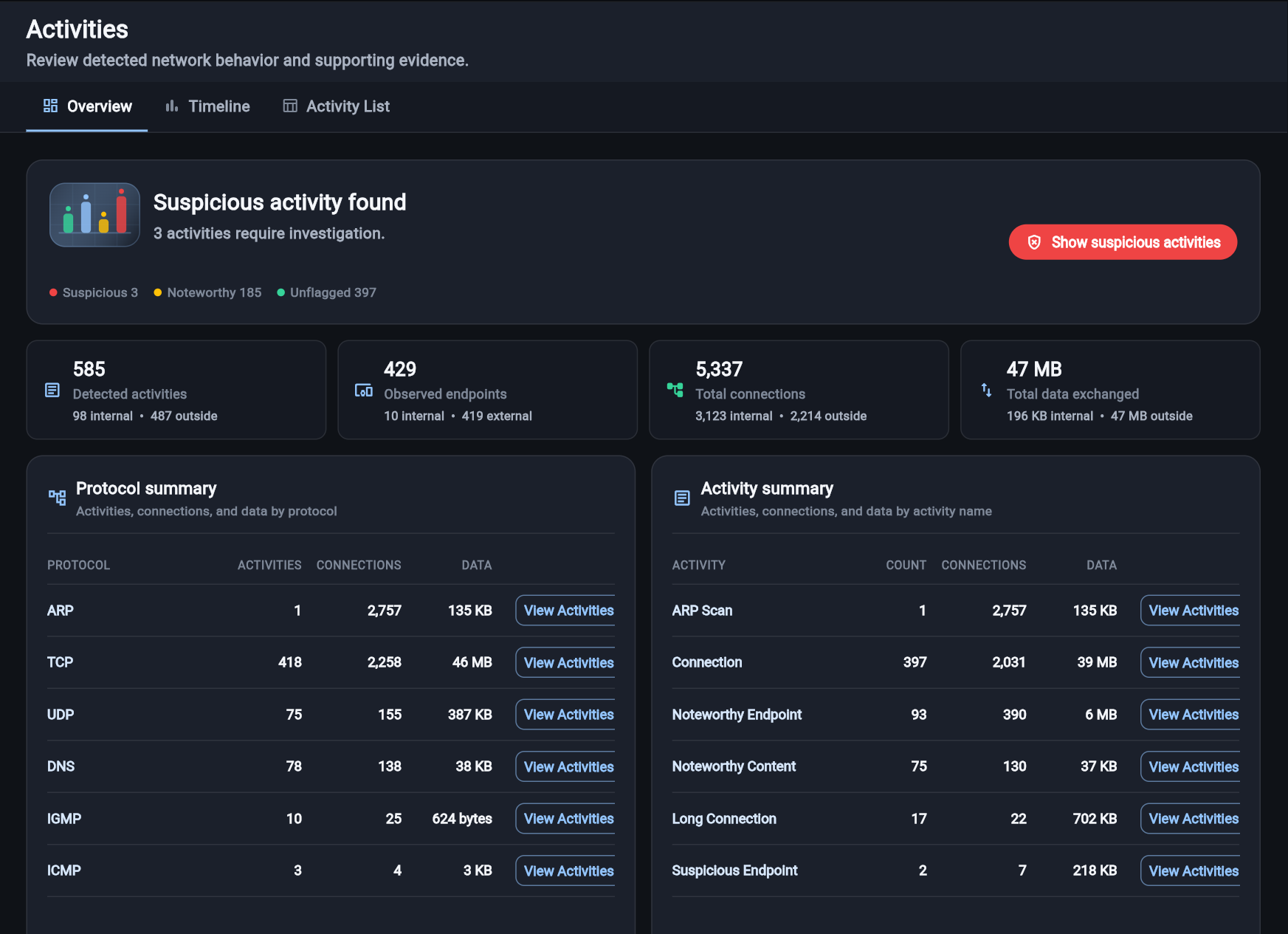
Prioritize detected behavior and open the connection evidence behind each finding.Activities is the starting point for prioritizing detected network behavior and opening the evidence behind it.
What the overview answers
The overview answers four immediate questions: Were suspicious activities found? How many activities and endpoints were observed? How many connections support them? How much data was exchanged?
The status summary separates activities into:
- Suspicious for behavior that requires investigation.
- Noteworthy for behavior worth reviewing in context.
- Unflagged for detected behavior without a current risk flag.
Protocol and activity summaries
Protocol summary groups activity, connection, and data totals by protocol. Activity summary groups the same evidence by activity name. Use View Activities to carry the selected protocol or activity into Activity List.
The Count column represents occurrences of an activity. Connections represents the underlying exchanges, so the two numbers do not need to match.
Timeline
Timeline groups newly observed activities by time. Change the resolution or drag across the chart to focus on a narrower window. The selected timeframe is applied when you open the activity list.
Activity List
Activity List shows the activity name, first observation, endpoints, protocol or service, connection totals, data, duration, and severity. Use its dropdowns to filter by activity or protocol and sort by severity or time.
- How to investigate opens guidance for the selected behavior.
- View connections opens the individual connection records supporting the activity.
If you enter Activity List from a summary or timeline selection, the active filter appears in the filter bar. Choose Show all to remove the preset context and its containing bar.
How to interpret an activity
Treat an activity as a lead, not a verdict. Confirm the initiator, target, service, timing, repetition, data direction, and endpoint reputation. Then compare the behavior with what is expected for the affected system.
Limitations
Encrypted traffic can hide application content. Short captures can miss the events before or after a finding. Hostnames, processes, and threat-intelligence context appear only when the necessary source data or enrichment is available.
See it in context